
How to Virtually Stage an Empty Listing From Just Photos
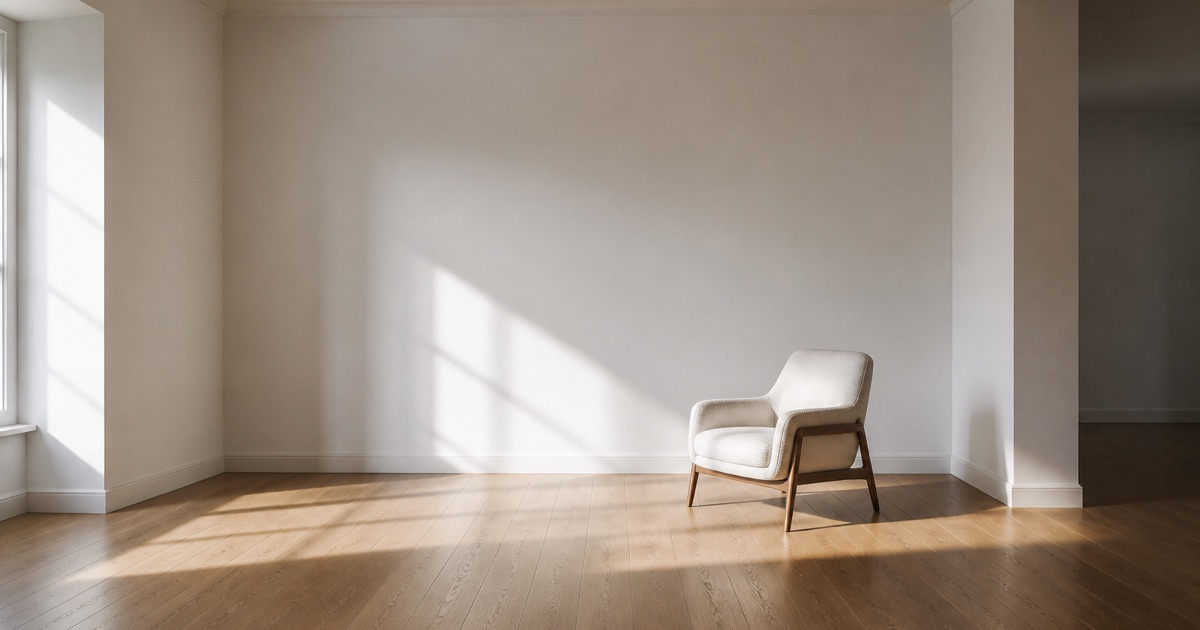
Upload photos of the empty rooms, run HomeReel's Stage It motion style, and it fills each room with furniture as part of generating the video. No rented furniture, no moving crew, no waiting days for a stylist. Once the rooms are staged you can turn the same photos into a full walkthrough video in the same session, so you leave with staged stills and a cinematic reel instead of just one or the other.
How Do I Stage an Empty House With AI From Photos?
Upload 3-20 photos of the vacant rooms, or import them straight from a Zillow listing link if the property is already posted. Pick Stage It as the motion style, tell it the room type and the look you want (modern, cozy, minimalist), and HomeReel generates a video with furniture placed in each room. The staging happens as part of rendering the video, not as a separate photo-editing step, so the furniture is lit correctly and holds up as the camera moves.
That last part matters more than it sounds. A staged photo only has to fool a buyer for one static frame. A staged video has to hold up across multiple angles and lighting changes, which is a harder problem and part of why video staging reads as more convincing than a single staged image.
Which Rooms to Stage First
You don't need to stage every room in the house. Buyers spend most of their attention on a handful of spaces, and those are the rooms where an empty shot costs you the most.
- Living room. It's usually the first interior shot in a listing video and the room buyers use to judge overall scale and flow. An empty living room reads as small and cold; a staged one reads as move-in ready.
- Primary bedroom. Second-most-viewed room in most listings. Buyers are mentally placing their own bed and furniture, and an empty box makes that harder than it needs to be.
- Kitchen-adjacent dining area. Open-concept homes especially need this staged, since an empty dining nook next to a finished kitchen looks unfinished by comparison and breaks the flow of the walkthrough.
If the property is large or the budget for AI-generated scenes is limited, stage those three first and leave secondary bedrooms, home offices, or bonus rooms empty (or shoot them with a plain Walkthrough or Pan Around pass instead). You can always add more staged scenes for a listing later.
Photo Tips for the Best Staging Results
The staging model works from what's in the photo, so the input quality directly affects how convincing the output looks. A few habits make a real difference:
- Shoot straight-on, wide angles. Stand near a corner and shoot across the room rather than at an angle toward one wall. Wider shots give the model more floor space to place furniture believably.
- Use good, even light. Open blinds, turn on interior lights, and avoid shooting into direct sun through a window. Harsh shadows and blown-out windows make it harder for the model to match furniture lighting to the room.
- Keep surfaces empty. A room with a ladder, paint cans, or moving boxes in frame gives the model clutter to work around instead of clean space to furnish. Clear the room before you shoot if you can.
- Shoot each room from 2-3 angles. One straight-on shot and one from a corner gives HomeReel more to work with when it builds motion between frames, and it gives you options if one angle stages better than another.
None of this requires a professional camera. A phone shot in good light with a steady hand outperforms a nicer camera shot in bad light, every time.
Turnaround and Cost
Your first listing video, staging included, is free with no credit card required, though it renders with a watermark. From there, staging is bundled into the Pro plan at $79.99/month, which includes 10 videos a month, priority rendering, and virtual staging on every video. Starter, at $39.99/month for 4 videos a month, does not include staging. Annual billing is available on both plans ($399.99/year Starter, $799.99/year Pro) and works out cheaper per month than paying monthly. Subscribing also removes the watermark from videos you already generated, including your free one.
Rendering itself takes minutes, not days. That's the practical advantage over a traditional stager: you're not scheduling a crew, waiting for furniture delivery, and then waiting again for pickup. You upload, pick Stage It, and you have a finished video in the time it takes to get coffee.
Staged Photos to Reel, Same Session
Most virtual staging tools stop at a still image, which means you're stuck exporting staged photos, then opening a separate video tool, then re-uploading everything to build a walkthrough. HomeReel skips that handoff. Because Stage It generates a full cinematic video, not a staged photo, you leave the same session with a finished reel, ready for Instagram Reels, TikTok, YouTube Shorts, or the MLS, instead of a folder of staged stills you still have to turn into something postable.
If you also want a second, unstaged version of the walkthrough (some brokers want both), you can generate that from the same uploaded photos using Walkthrough or Pan Around instead of Stage It, without reshooting anything.
Disclosure: Always Label It as Virtually Staged
Label any AI-staged video clearly, either as a text overlay in the video or in the caption, and confirm your local MLS rules before you upload. Most MLS systems require virtually staged content to be disclosed; a few restrict where it can appear or don't allow it in primary photos at all. Rules vary by MLS, so check with your broker or your MLS's media guidelines before listing.
This isn't just a compliance box to check. A buyer who shows up expecting furnished rooms and finds them empty feels misled before they've even walked through the door, and that's a worse outcome than showing the space empty in the first place. A simple "Virtually Staged" overlay costs you nothing and protects the showing.
For the full breakdown of what MLS systems typically require for AI-generated video, read our guide to using AI video on the MLS and our deeper dive on AI virtual staging.
The Bottom Line
Staging an empty listing with AI comes down to three things: shoot clean, well-lit, wide photos of the rooms that matter most, run them through Stage It, and label the result. You get a furnished-looking video in minutes instead of a multi-day staging job, and you leave the session with a postable reel instead of just a set of edited photos.
Upload your first listing's photos for free and see what an empty room looks like staged. Check our pricing for the Pro plan if you're staging listings regularly, and browse agent reviews to see how other agents are using it.
An empty room only needs to convince a buyer for the length of a video. Stage It furnishes it, in motion, in the same session you build the walkthrough.
Frequently asked questions
Your first listing video is free. No editing skills, no videographer.
Try HomeReel Free